Hub: Order Notification History
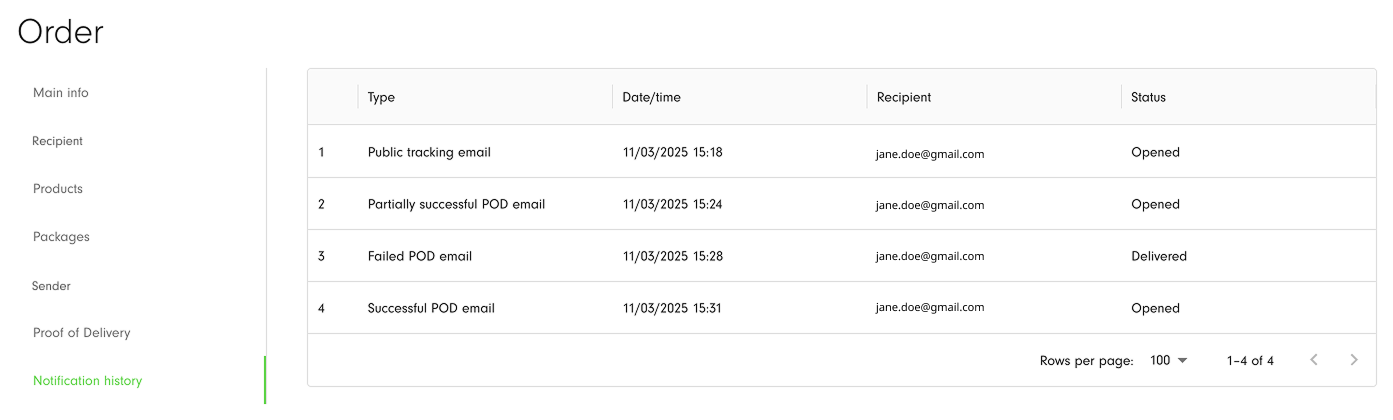
If you have set up sending the Proof of delivery and Public tracking notifications and an order has indicated the recipient email address/mobile phone number, you can then track the statuses of emails/SMS notifications on Notification history tab inside the Order details in Hub.
| Column | Description |
|---|---|
| Type | The type of notification that has been sent: Successful POD email, Partially successful POD email, Failed POD email, Public tracking email, Public tracking SMS. |
| Date/time | The date and time when the email/SMS notification has been sent to the recipient. |
| Recipient | Recipient email address (POD and Public tracking emails) and mobile phone number (for Public tracking SMS). Every fixed recipient for a Failed POD email will be displayed separately in the table to check the status of every sent email. |
| Status | The status of the email/SMS that has been sent. Statuses for emails are Sent, Undelivered, Delivered, Opened, and Clicked. Statuses for SMS notifications are Sent, Undelivered, and Delivered. |